

Scheduling & Dispatch
Keep jobs moving without chasing updates manually.
Plan work, assign field staff, dispatch job details, and see what changed across the day.
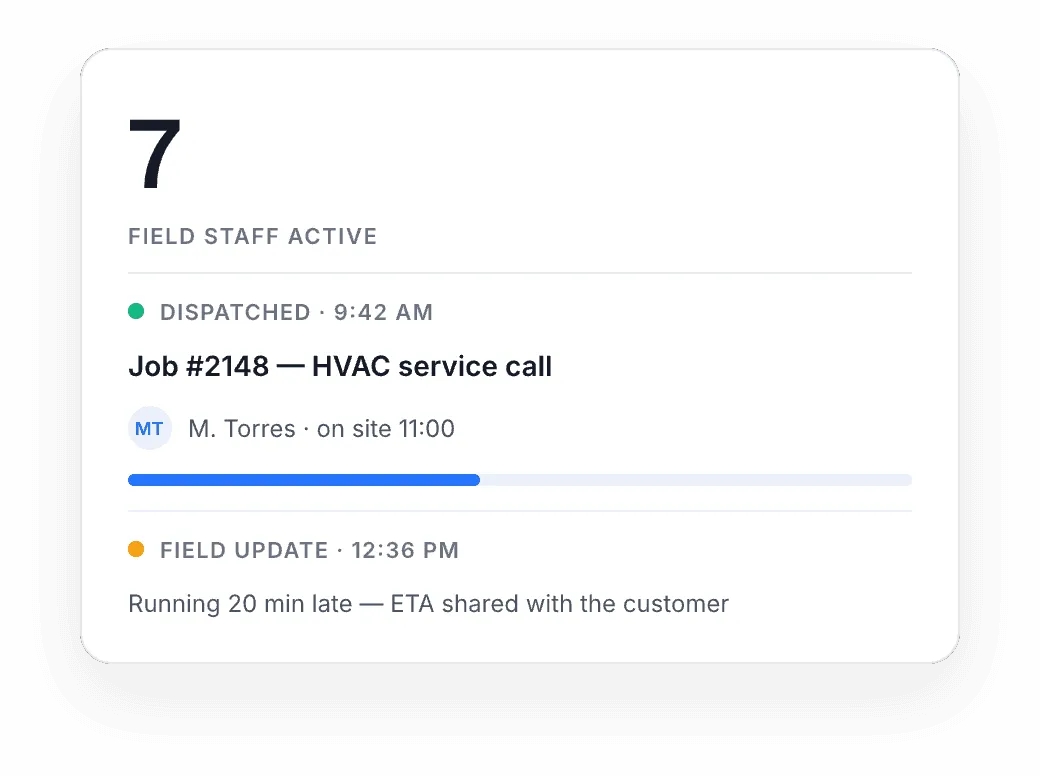
Manual scheduling breaks when the day keeps changing
When jobs move, staff availability changes, or urgent work appears, spreadsheets and messages stop keeping everyone aligned.
Schedules go stale
The plan changes by mid-morning, but the spreadsheet still shows the 7 AM version.
Updates get lost in chat
Job changes live in texts and group chats, where the wrong person sees them too late.
No clear view of the day
Who is free, who is running late, what got done — nobody can see it in one place.
Plan the day, assign the work, and keep jobs moving
WorkBuddy gives growing field teams one place to organise jobs, assign staff, send job details to the field, and adjust the schedule as the day changes.
Plan the day
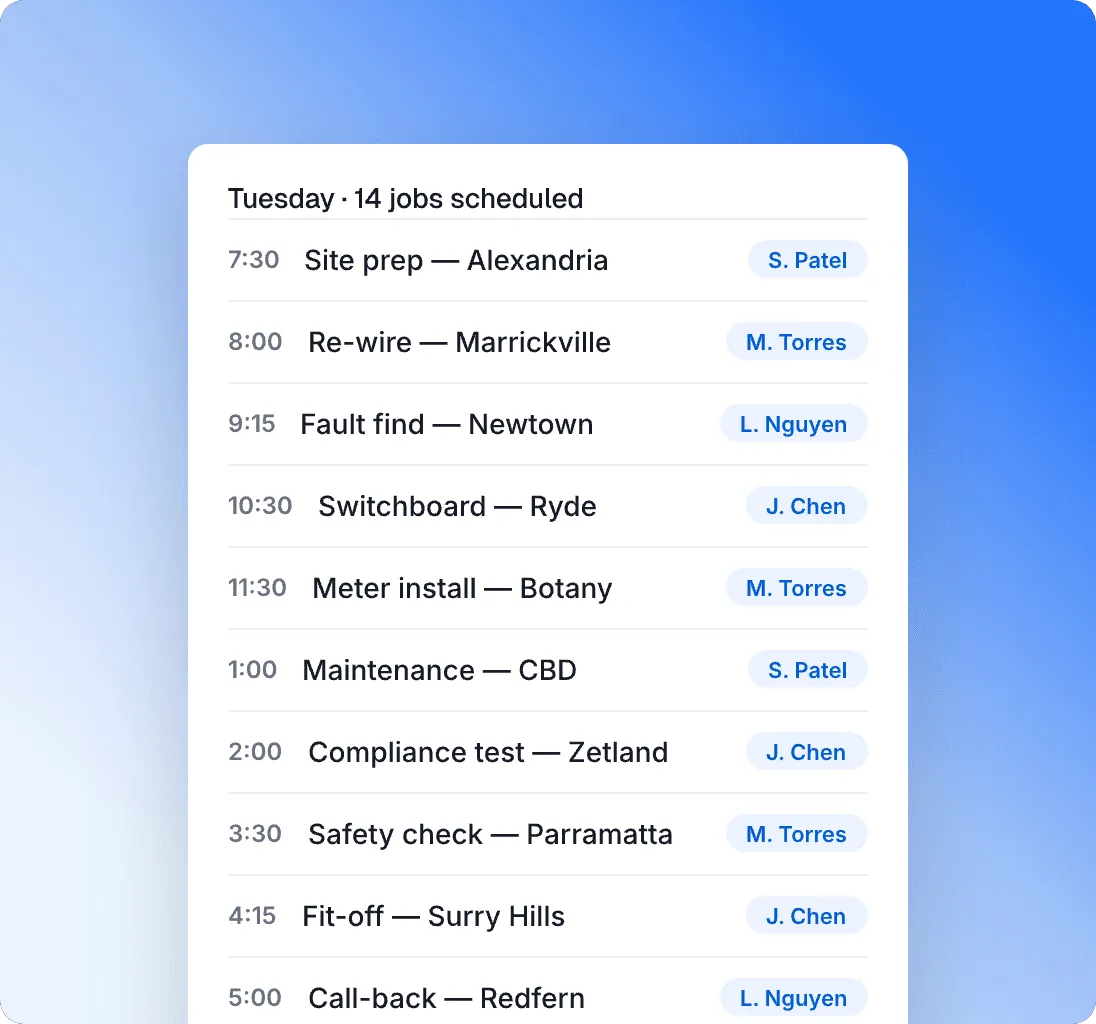
See upcoming jobs and organise the schedule around availability, priority, and location.
Assign the right person
Allocate jobs to field staff based on timing, skills, and who is available.
Dispatch the details
Send job information to the field so staff know where to go, what to do, and what has changed.
Track field updates
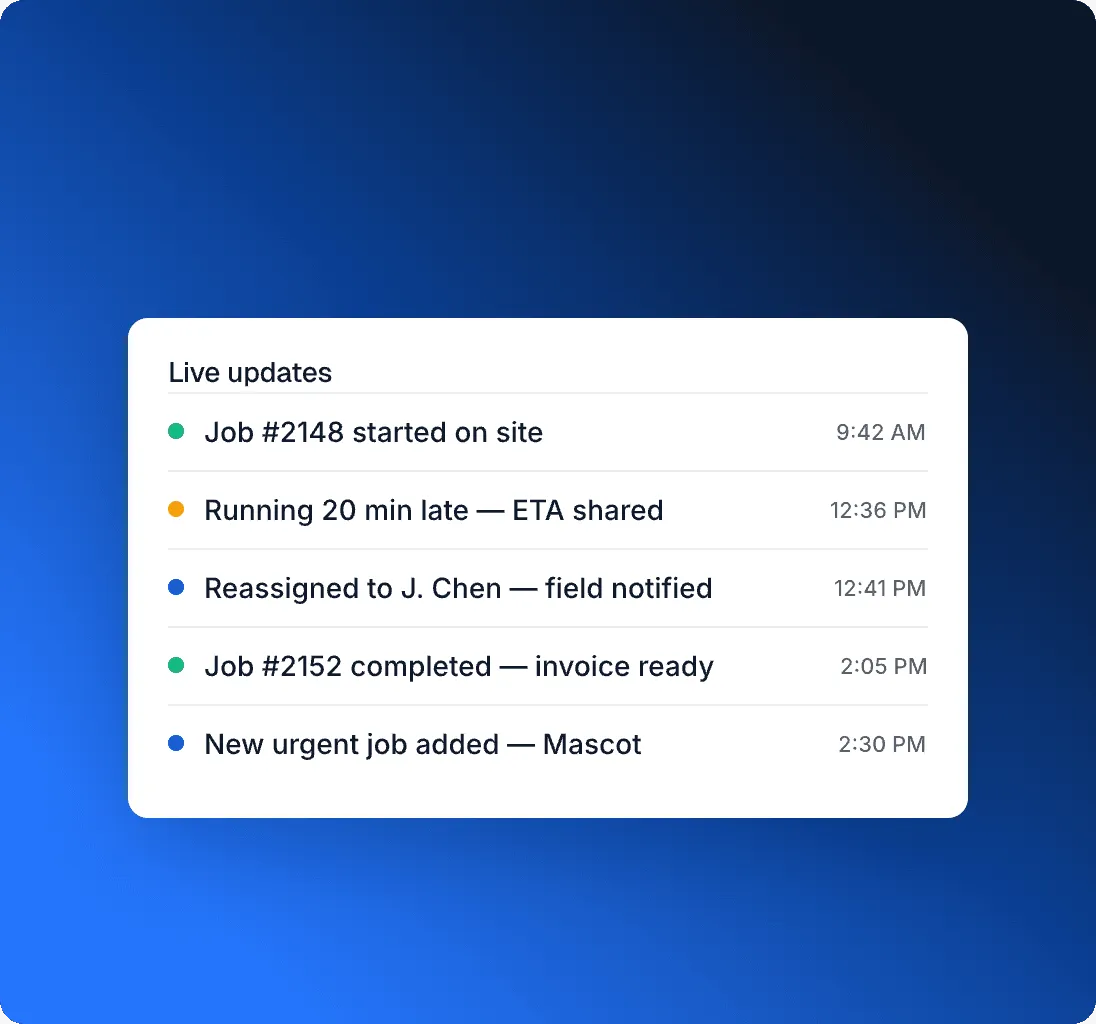
See when jobs are accepted, started, delayed, completed, or need follow-up.
Adjust when things change
Reassign work, update the schedule, and keep the office and field team aligned.
The tools your office team needs to keep the day moving
Plan jobs, assign field staff, send updates, and see what's happening without chasing every change manually.
Job scheduling
Plan upcoming jobs in one shared schedule so the office can see what is booked, what is changing, and where attention is needed.
Staff assignment
Assign jobs to the right field staff based on availability, timing, location, or the type of work required.
Dispatch details
Send job information to the field so staff know where to go, what to do, and what has changed.
Live job updates
Track when jobs are accepted, started, delayed, completed, or need follow-up.
Schedule changes
Reassign work and update the day when urgent jobs appear, appointments move, or someone becomes unavailable.
Daily visibility
Give coordinators a clearer view of who is working, what is running late, and what still needs attention.
Scheduling keeps the workday connected
Jobs start in the office, move through the schedule, reach the field, and return as updates.
AI support for the changes that usually need chasing
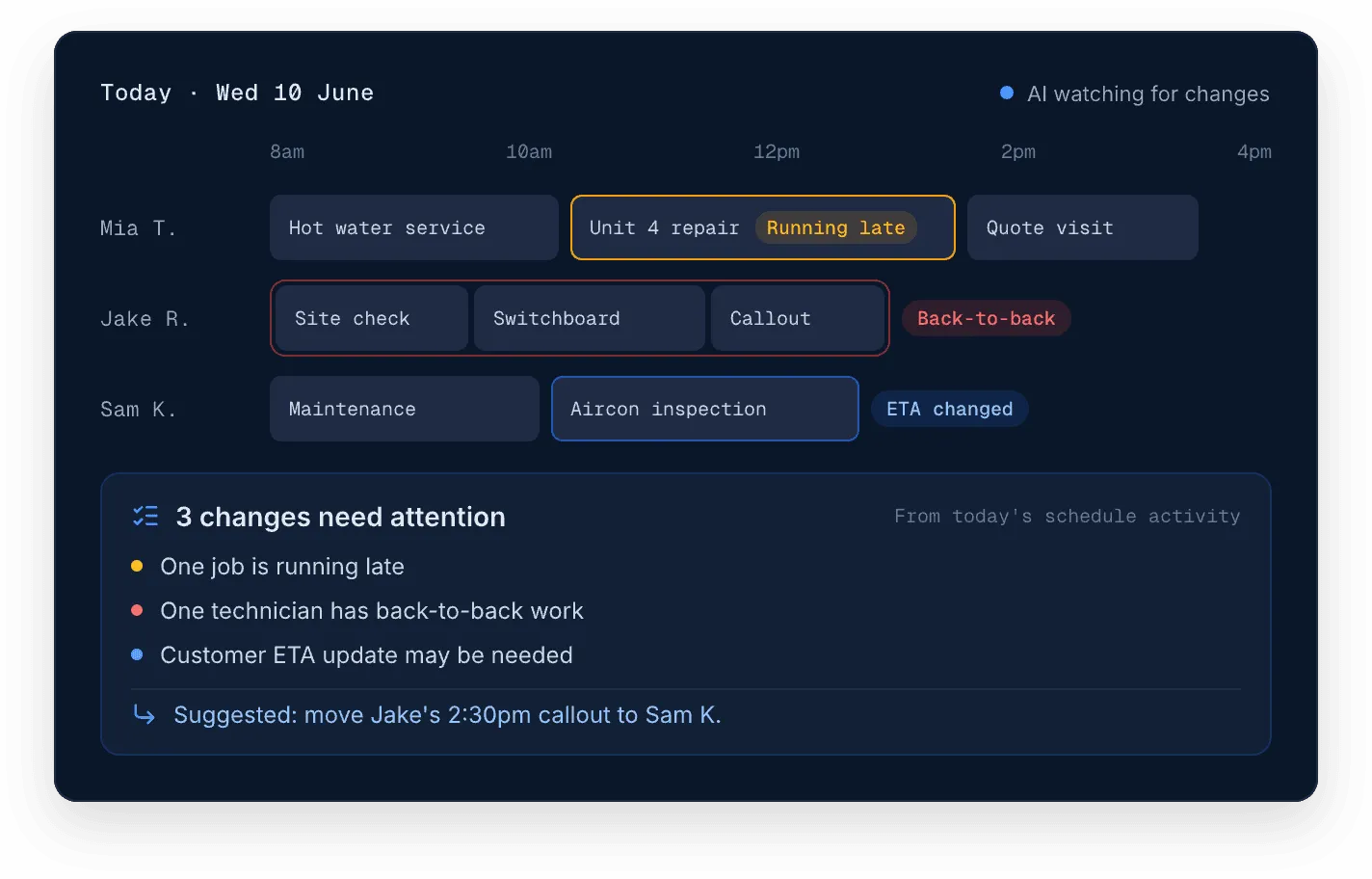
WorkBuddy AI helps growing field teams spot schedule changes, delayed jobs, and updates that need attention, so coordinators can focus on the work that needs action.
- Flags jobs running late before the day slips further
- Notices when one person's schedule is getting overloaded
- Suggests which customers may need an ETA update
Suggestions stay suggestions — your coordinators decide what changes.
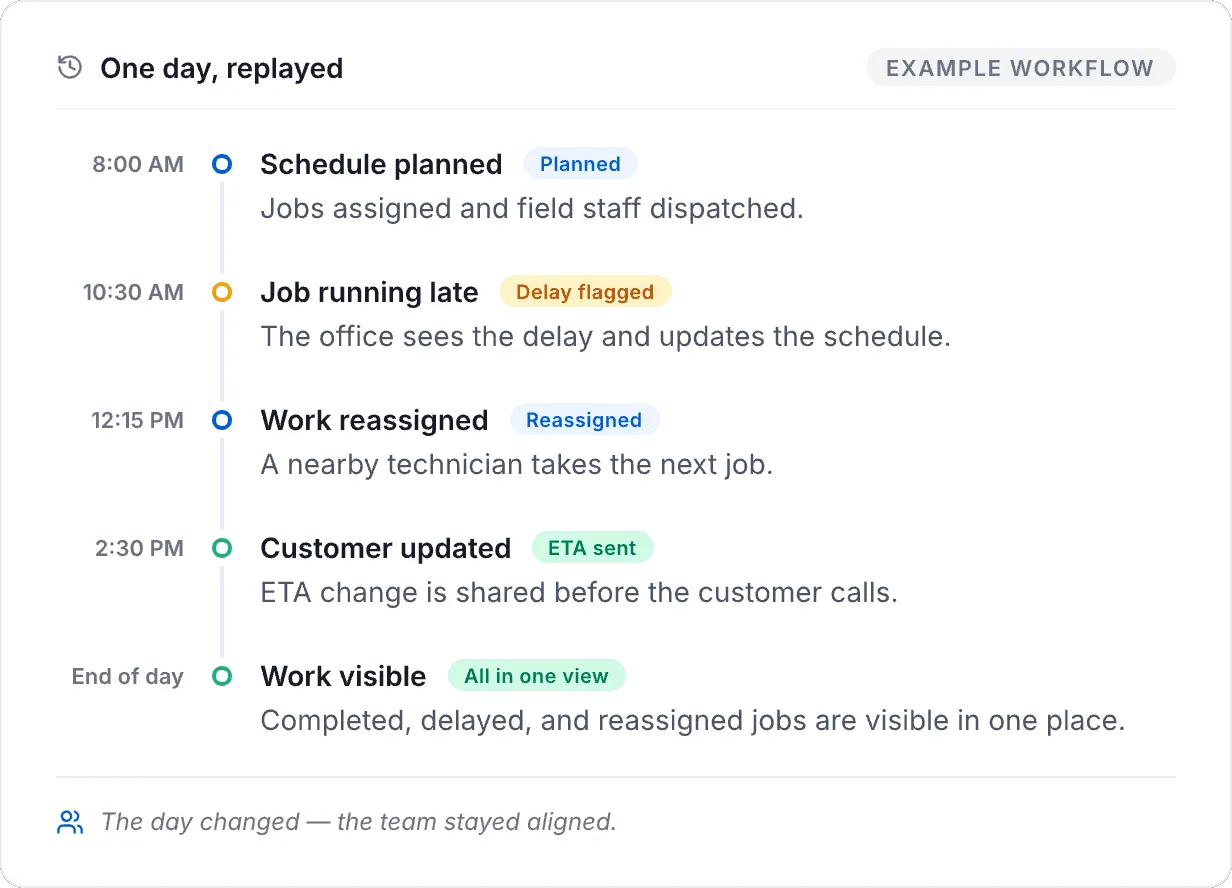
From chasing updates to seeing the day clearly
A growing field team starts the morning with a full schedule, but by mid-day the plan has already changed. One job is running late, another needs reassignment, and customers need updated ETAs. With WorkBuddy, the office can update the schedule, dispatch new details, and keep the field team aligned without chasing every change manually.
- Less time chasing field updates
- Clearer view of who is free, late, or on site
- Faster response when the schedule changes
- Customers can be updated before small delays become bigger problems
Questions before you change how scheduling works
Get clear answers about how Scheduling & Dispatch works, who it supports, and how it connects with the rest of WorkBuddy.
- 01
Can WorkBuddy help us move away from spreadsheets for scheduling?
Yes. WorkBuddy gives growing field teams a shared place to plan jobs, assign field staff, update schedules, and track progress without relying on disconnected spreadsheets, whiteboards, or message threads.
- 02
Can field staff see their job details?
Yes. Scheduling & Dispatch connects with the field workflow so staff can receive job information, updates, and instructions without the office repeating details manually.
- 03
What happens when jobs change during the day?
Coordinators can update schedules, reassign work, and keep the team aligned when urgent jobs appear, appointments move, or staff availability changes.
- 04
Is Scheduling & Dispatch only for large teams?
No. It becomes useful once manual coordination starts creating friction — usually when a team has enough jobs, staff, and daily changes that spreadsheets or whiteboards become hard to manage.
- 05
Does scheduling connect to reporting?
Yes. Scheduling activity can connect into wider job and reporting workflows so managers can understand what happened across the day.
Ready to make scheduling easier to manage?
See how WorkBuddy helps growing field teams plan jobs, assign staff, dispatch details, and keep work moving when the day changes.
Pricing that scales with your team
Transparent plans for growing field teams — no hidden costs.
See pricing